
WaBoom77 on your phone: Android and iPhone without an app store
There is no APK to chase and no App Store listing to wait for. The platform is a browser build designed for a thumb — here is how to install it, what it costs in data, and where it still stumbles.
Why there is no download, and why that is fine
Neither the App Store nor Google Play lists real-money casino apps for the Australian market. That is not a WaBoom77 limitation — it is a platform policy that applies to every offshore operator serving this country. Anyone offering you an "official Australian pokies APK" is offering you a sideloaded binary from an unverified source, and no bonus is worth that.
What WaBoom77 does instead is build the site mobile-first and let you save it to your home screen. Once saved it opens full-screen with its own icon, keeps you logged in, and behaves close enough to a native app that most players stop noticing the difference within a session. You get automatic updates for free, because there is nothing to update — the server serves the current version every time.
Having tested a lot of casino "apps" that were the same thing wrapped in a shell, I would rather have the honest version. It loads faster, it takes no storage, and it cannot go stale.
Adding it to your home screen
iPhone and iPad — Safari
- Open the operator's site in Safari. This does not work from Chrome on iOS; the add-to-home-screen function belongs to Safari.
- Tap the Share icon in the bottom toolbar.
- Scroll down and choose Add to Home Screen.
- Name it something short, then tap Add.
- Launch from the new icon. It opens full-screen with no address bar.
Android — Chrome
- Open the site in Chrome.
- Tap the three-dot menu at the top right.
- Choose Add to Home screen or Install app — Chrome shows whichever applies.
- Confirm the name and tap Add.
- The icon behaves like any other app, including in the recents switcher.
What each part of the platform costs on mobile data
Measured on a mid-range Android over 4G, as a share of a one-gigabyte data allowance per hour of play. Useful if you are on a capped plan.
The live dealer figure is the one to plan around. An hour of streamed roulette will eat close to a gigabyte, because you are receiving continuous video. Everything else is comfortably light — reels and fish tables send small state updates rather than video, which is why they hold up on a two-bar signal where a live table would stutter.
Built for a thumb, not a mouse
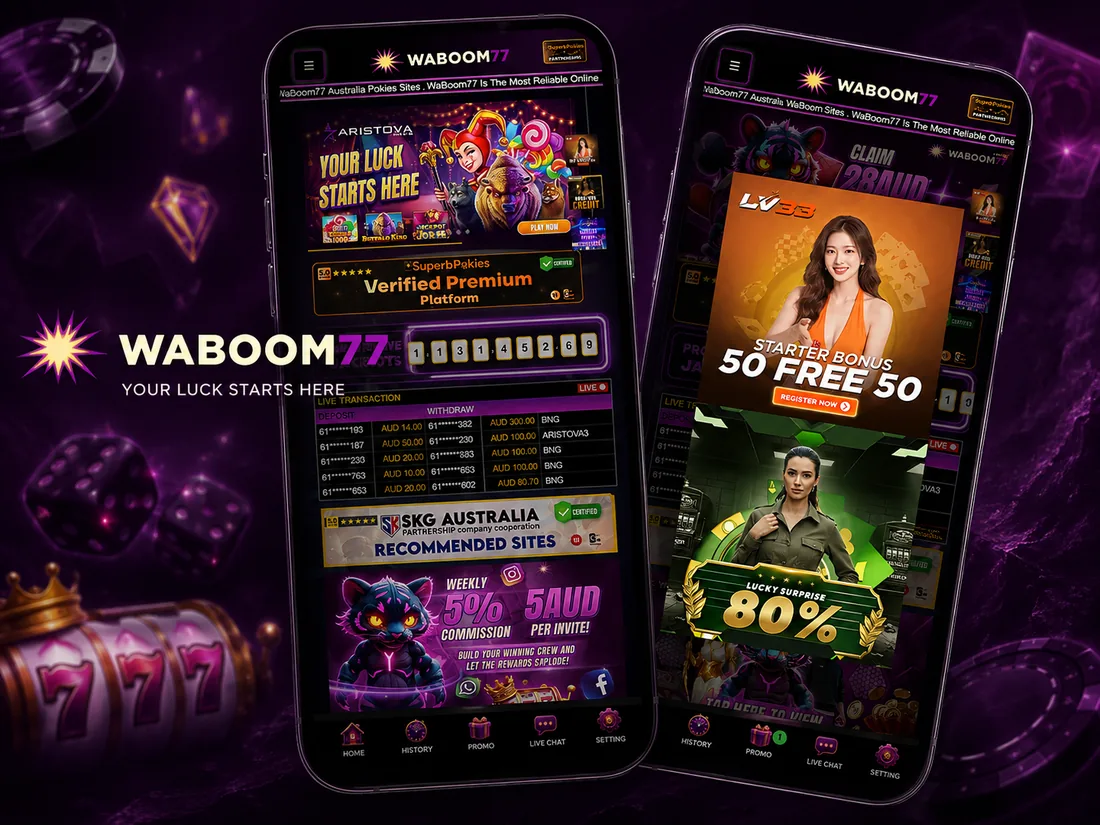
The mobile build puts a fixed bar along the bottom of the screen with five destinations: Home, History, Promo, Live Chat and Setting. That bar never moves, which means the two things you actually need mid-session — your transaction history and a human — are always one tap away. It is a better arrangement than most European casinos manage, where support is buried three menus deep, and it is the clearest single example of the phone-first thinking that shapes everything about WaBoom77.
Above it, the lobby is a scrolling tile grid with the category tabs pinned near the top and a search field for finding a specific title. The live transaction ticker and the jackpot counter sit on the front page as they do on desktop. On a small screen they are noise, and I would scroll past them.
Fish shooting is genuinely better on a phone
This is the one format where mobile beats desktop outright. You aim by dragging and fire by tapping or holding, which maps naturally to a thumb and awkwardly to a mouse. The trade-off is the same one as on desktop, only easier to trigger by accident: holding the fire control shoots continuously, and every shot is a separate bet. On a touchscreen it is very easy to rest a thumb on the trigger while looking at something else. Tap deliberately.
Live tables adapt, reels barely need to
Live streams drop bitrate rather than dropping the round when your signal weakens, so a table survives a lift or a train tunnel. Reels are effectively immune to network wobble because each spin is a short request. If you play on the move, the reel lobby and the fish tables are the reliable choices and live dealer is the one that will occasionally frustrate you.
Depositing from a phone
This is where the mobile build earns its keep, because PayID and your banking app live on the same device.
| Method | Mobile experience | Watch out for |
|---|---|---|
| PayID | Best on mobile — copy the details, switch to your banking app, pay, switch back | Re-check the PayID address every time; the operator rotates it |
| Apple Pay | Fastest single tap if your card allows it | Australian issuers decline gambling codes regularly |
| Visa / Mastercard | Fine, but fiddly to type on a small screen | Same decline risk as above |
| AmoPay / AGXGPay | Works, preset buttons help | AGXGPay starts at AUD 50 |
| USDT | Clumsy on a phone — address copying, confirmations | Send the exact amount requested |
One mobile-specific trap: app switching. When you leave the casino to open your banking app and come back, the deposit screen may have refreshed with new details. Read the destination again before you paste. Ten seconds of caution beats a transfer sent to a rotated address. The full channel limits and the odd-amount rule are covered under the AUD banking rules.
Two things that annoyed me
First, the home-screen install on iOS occasionally loses its session after an iOS update, dumping you back at the login screen. Not a data loss and not unique to this operator — Safari clears web-app storage more aggressively than Chrome — but irritating if you assumed you were permanently signed in. Keep the password accessible rather than relying on the saved session.
Second, the front page is heavy on a small screen. The live transaction feed, the jackpot counter, the promo rail and the partner banners all load before you reach anything you can play. On a good connection it is a second of scrolling. On a weak one it is genuinely slow, and there is no lightweight mode to skip it. Going straight to a category tab rather than the home view is the workaround.
Neither is a reason to avoid the platform, and both are worth knowing before you decide something is broken. Between them they cost me about five minutes across a month of daily use, which is a fair trade for never having to sideload anything.